Showing posts with label it world. Show all posts

Saturday, 14 August 2021

How to enable dark mode in Facebook app ?

Please follow below steps to enable dark mode in Facebook app :-

1) Open Facebook app.

dark mode in Facebook app

2) Tap on main menu.

dark mode in Facebook app

3)Tap on settings & privacy.

dark mode in Facebook app

4) Tap on settings option.

dark mode in Facebook app

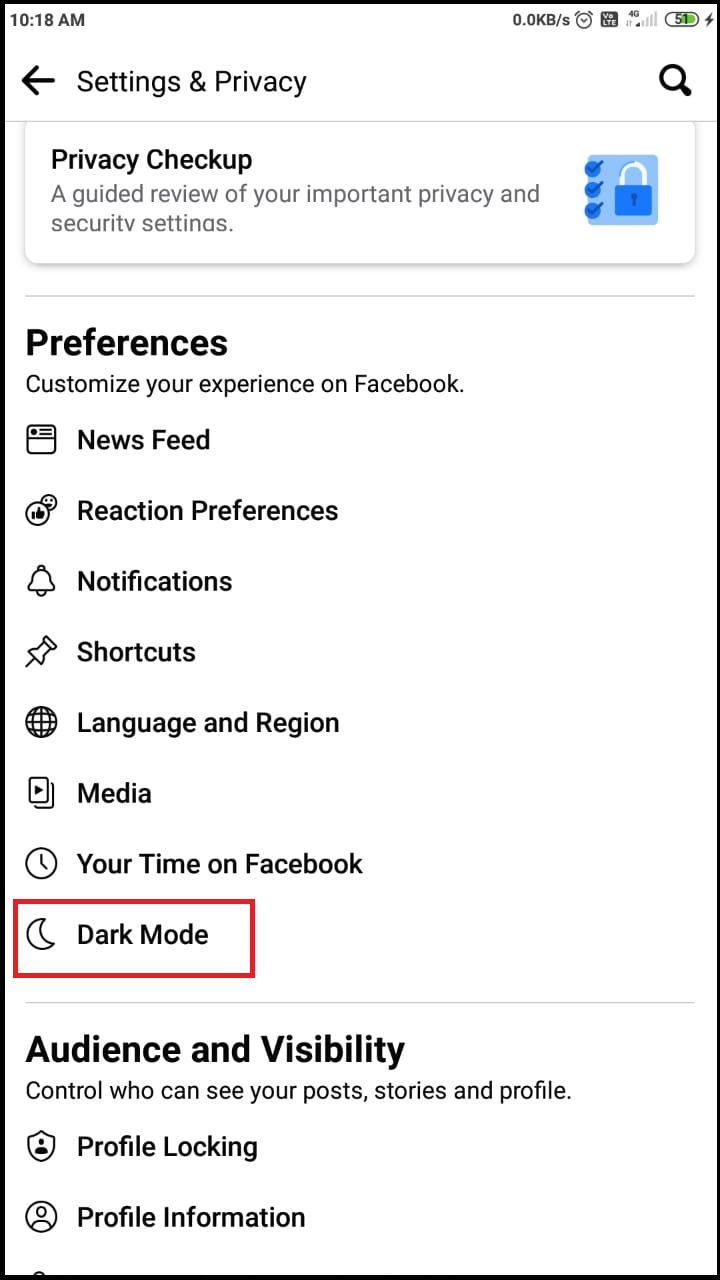
5) Now scroll down, go to preferences section and tap on dark mode option.

dark mode in Facebook app

6) In dark mode section, tap on on option.

dark mode in Facebook app

  So, in this way we can enable dark mode on Facebook app.

Friday, 13 August 2021

How to install pandas python library in Windows ?

 Pandas is famous python library which is basically used for data analysis. Using this library python programmers can read csv files , excel files and uson files.

Please follow below steps to install python pandas library.

1)Go to start menu and search for cmd.  Open cmd as administrator.

install pandas python library in Windows

2)In cmd, type command pip install pandas and press enter.

install pandas python library in Windows

3)Wait for sometime until completion of downloading and installation of packages.

install pandas python library in Windows

So, in this way we can install python pandas library on windows.


Wednesday, 11 August 2021

Installation of Python on windows

 Please follow below steps for installation of python on windows:-

1)Open the browser and enter the url https://www.python.org/downloads/


2) Go to downloads and select windows option.


3)Select version of python you want to install. In my case installing 3.8.7. Click on link as highlighted in below image.


4) Once you download the set up. Right click on setup and select run as administrator.


5)Select the option add python to path and click on customize installation.


6) Then click on next button.


7) In advanced options select the option as your choice. Browse the path of installation. Click on install button.


8) Wait for sometime.


9) Python setup installed successfully.


10
) To verify python installation, open cmd and run the command python.


So, in this way we can install Python on windows.

Tuesday, 10 August 2021

How to create batch file to start and stop service ?

 Please follow below steps:-

1)Open notepad.

2)To start service type net start <Service Name> and save file as start.bat

e.g  MSSQL$SQLEXPRESS service


3)To stop service type net stop <Service Name> and save file as stop.bat


4)To run service, right click on batch file and select run as administrator.

    Service Started using .bat file:-


    Service stopped using .bat file:-


How to enable dark mode in WhatsApp ?

 Please follow below steps :-

1)Open WhatsApp.

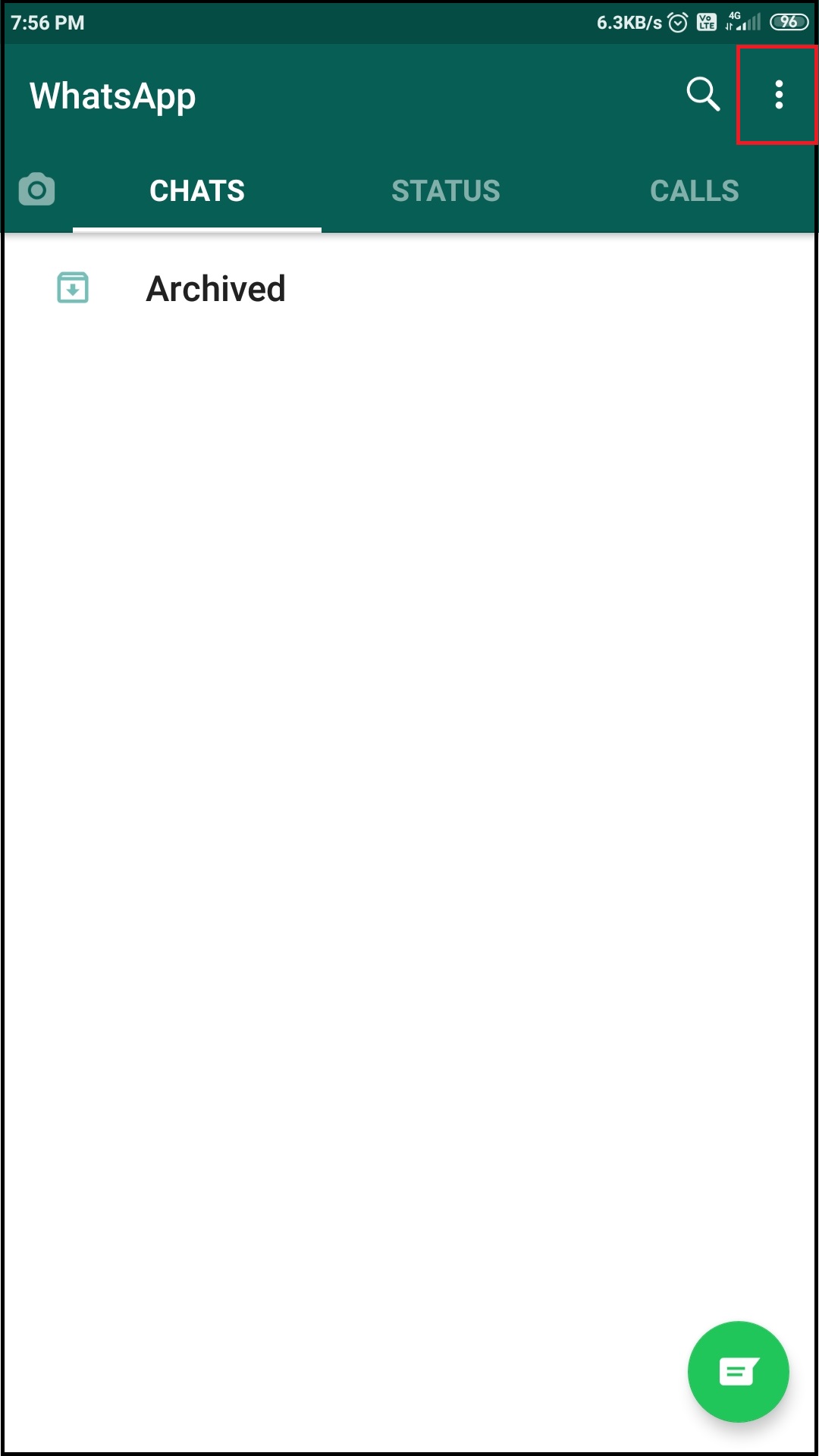
2) Once you open WhatsApp, tap on three dots present on right hand side top corner.
3) Select settings option from menu.

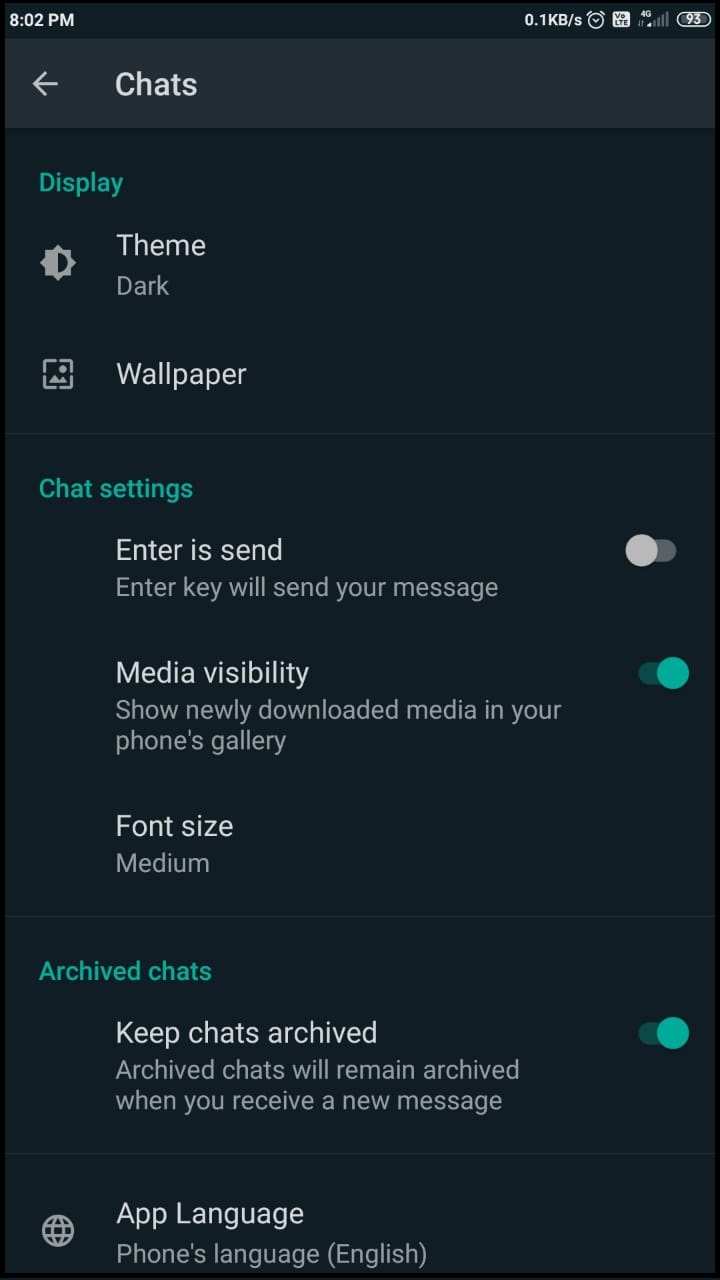
4)In settings section, tap on chats option.

5) In chats section ,tap on theme option and select dark option to enable dark mode in WhatsApp.

WhatsApp dark mode will look like :-

So, in this way we can enable dark mode in WhatsApp.


Monday, 9 August 2021

How to change language of Instagram app ?

 Please follow below steps:-

1) Open Instagram app.


2)Then tap on profile icon present at right hand side bottom corner.


3)Tap on menu menu.


4)Once you tap on main menu, you will get pop up as shown in below image. Then tap on settings option.


5)In settings section, tap on account option.


6) In account section, tap on language option.


7) Now, search for language that you want to change and select the language.


Once language is selected, within seconds Instagram app language will be changed.


How to find your Instagram profile link ?

 Please follow below steps:-

1) Open Instagram app.

2)Then tap on profile icon present at right hand side bottom corner.

3)Tap on edit profile button.

4)In edit profile section, tap on username.
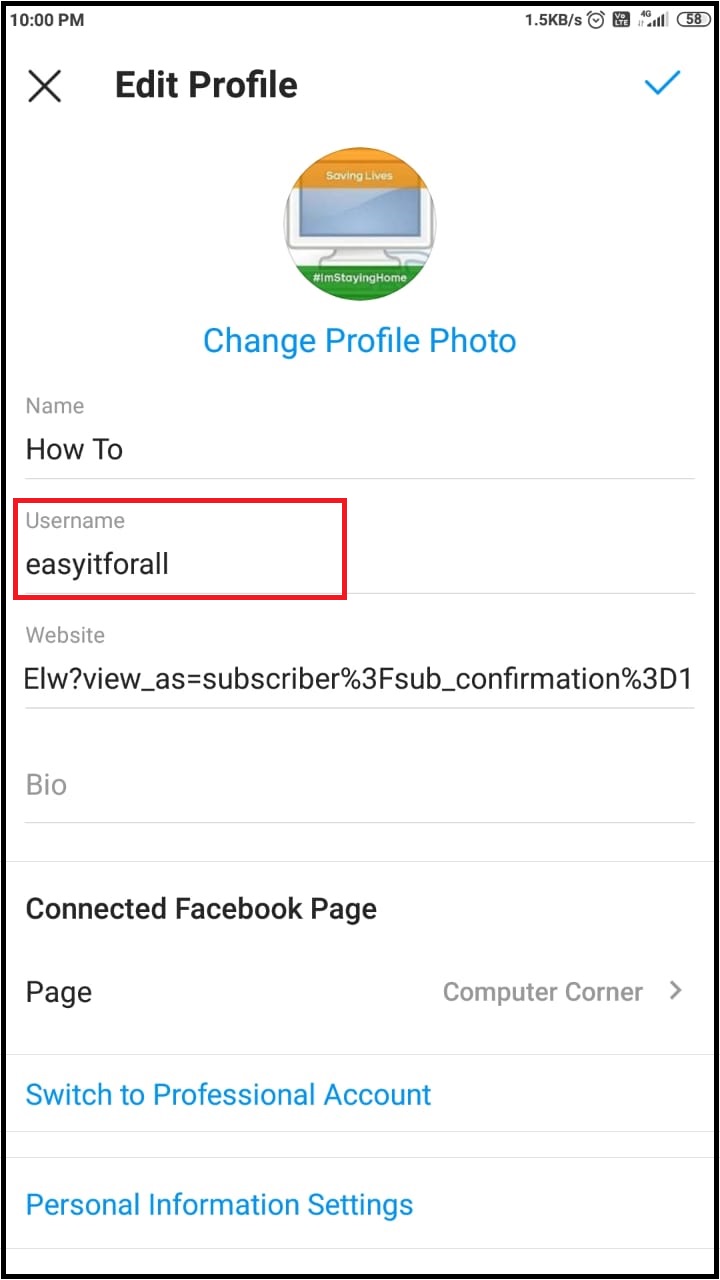

5) Copy your username.


5)Now, minimize Instagram app and open your browser. Enter url like https://www.instagram.com/(username). In my case it will be like https://www.instagram.com/easyitforall. Then press enter. 


It will open your Instagram profile.

    So, in this way we can find our Instagram profile link.


Sunday, 8 August 2021

How to print Yahoo mail ?

 Please follow below steps:-

1)Open your browser and enter the url www.yahoomail.com.

2)Login into yahoo mail account by using username and password.


3) Open the mail that you want to print and click on print icon as shown in below image.

4)Once you click on print icon, it will open another browser window where you need to select printer name and then click on print icon.


So, in this way we can print yahoo mail.


How to block unwanted emails in Yahoo mail ?

 Please follow below steps:-

1)Open your browser and enter the url www.yahoomail.com.
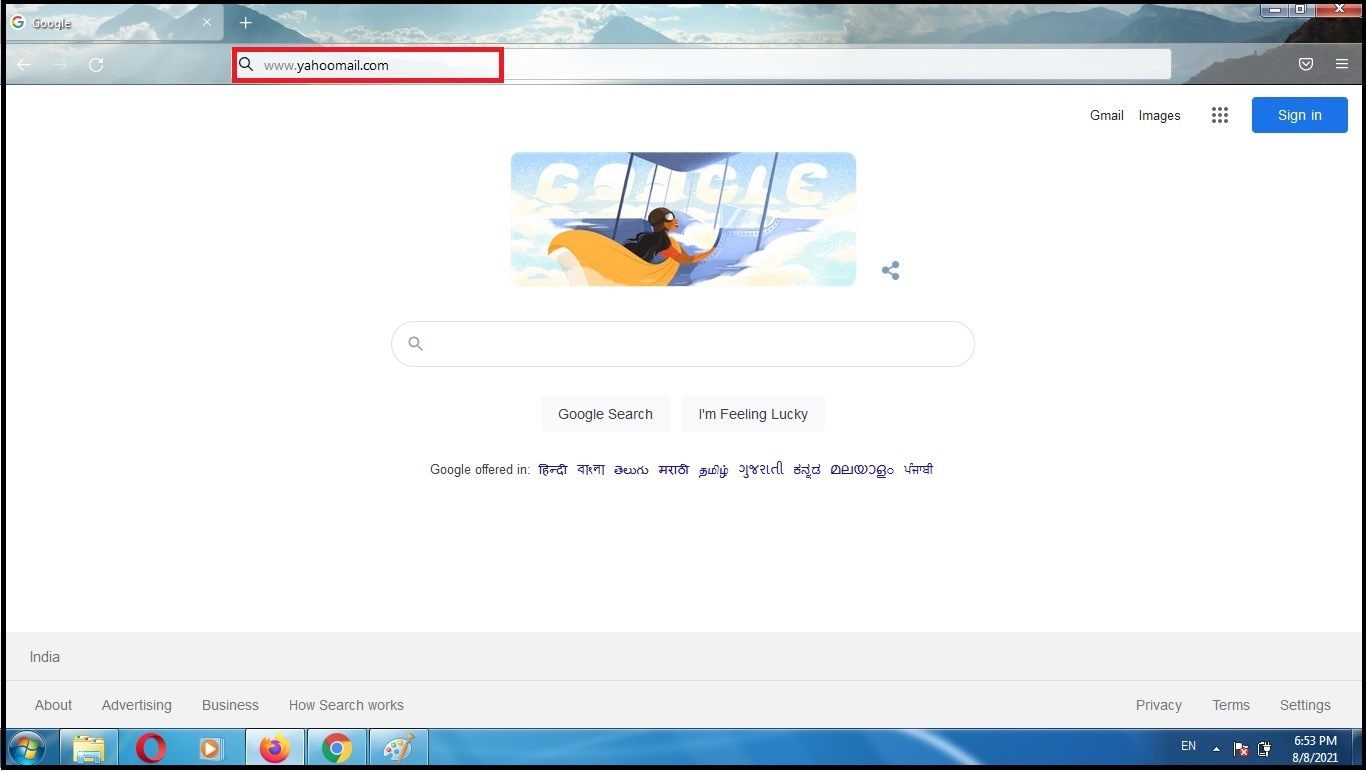
2)Login into yahoo mail account by using username and password.


3)Select email that you want to block and click on more options as shown in below image. So, you will get menu. Select option Block senders from menu.

4)Verify the email that you are going to block. You can also delete existing emails from sender. Select the option as per your choice. Then click on ok button.


5)Once you click on Ok button, sender will be blocked.


So, in this way you can block unwanted emails in yahoo mail.